









Wireless HDMI 2 Receivers and Transmitter,Up to 6 RXs,No Hot,Plug and Play,2.4/5.8GHz Wirelessly Casting to Multiple Screens,50M/165FT,Wireless HDMI Splitter for TV/DSLR Camera/Projector/Laptop/PC
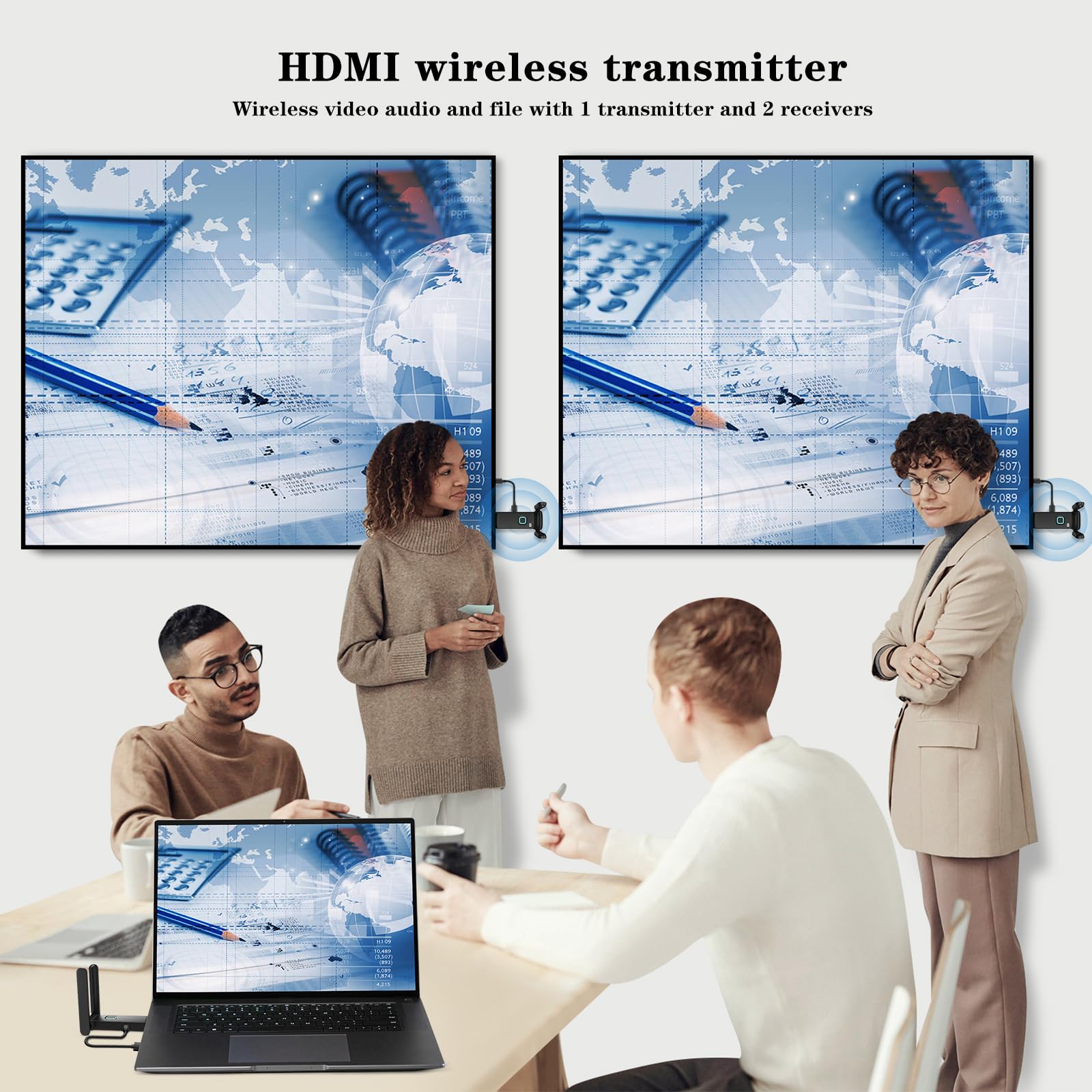
Wireless HDMI to multilpe TVs : This new upgrade wireless HDMI sender and receiver seamlessly streams video and audio to two displays in open environments, connecting multiple TVs with an impressive range of up to 165 feet/50 meters,up to 6 large screens or TVs,you can add more RX as needed(RX ASIN: B0DPKSFXRV).Whether it's for a home theater, bar, restaurant, multimedia classroom, conference room, church, or any space that demands multi-screen interaction, this is your ideal choice. Note: Can not achieve TV to TV transmission.
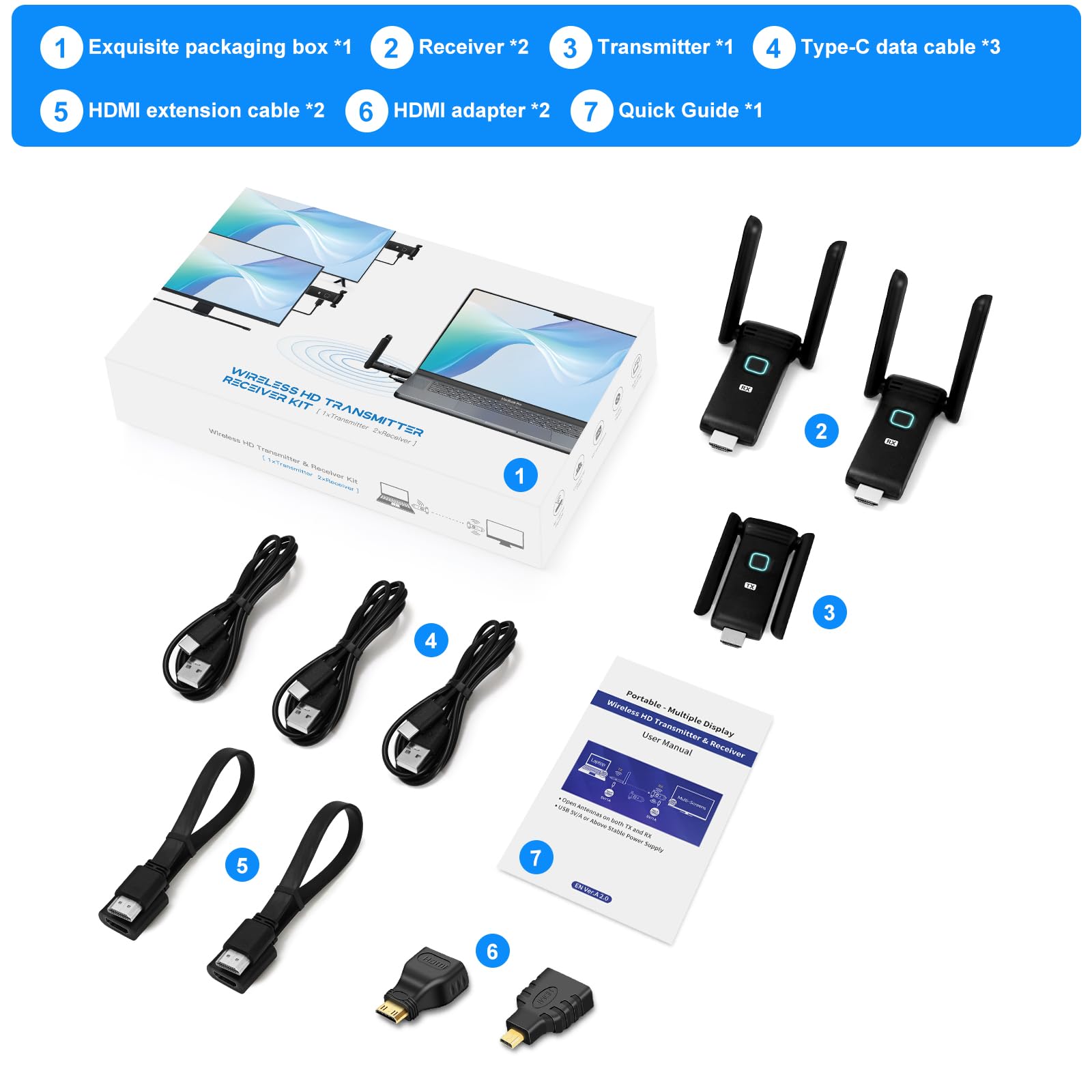
Universal Compatibility : This new upgrade wireless HDMI connector equipped with 3 accessories. USB C to HDMI 4K adapter/Micro HDMI adapter/Mini HDMI adapter, you will have both HDMI wireless and USB-C wireless at the same time.Seamlessly interfaces with most HDMI display devices on the market. Effortlessly cast content from laptops, PCs, cameras, set-top boxes, cable boxes, gaming consoles and more to HDTVs, projectors, monitors,smartphones, tablets, iPads. Note: If the HDMI wireless kit is used in an Apple TV box, the output resolution of the TV box needs to be adjusted to 1080P 60Hz.
Extended Range, Plug and Play : HDMI sender and receiver wireless equipped with a dual-antenna system that enhances signal penetration, it achieves a transmission distance of up to 165 feet/50 meters, catering to diverse needs in homes and offices. Flexibly arrange your home theater or conference room, and eliminating worries about tangled wires, damage, or loose connections. Note: Transmission distance may reduce to 50 feet/15 meters when passing through walls.
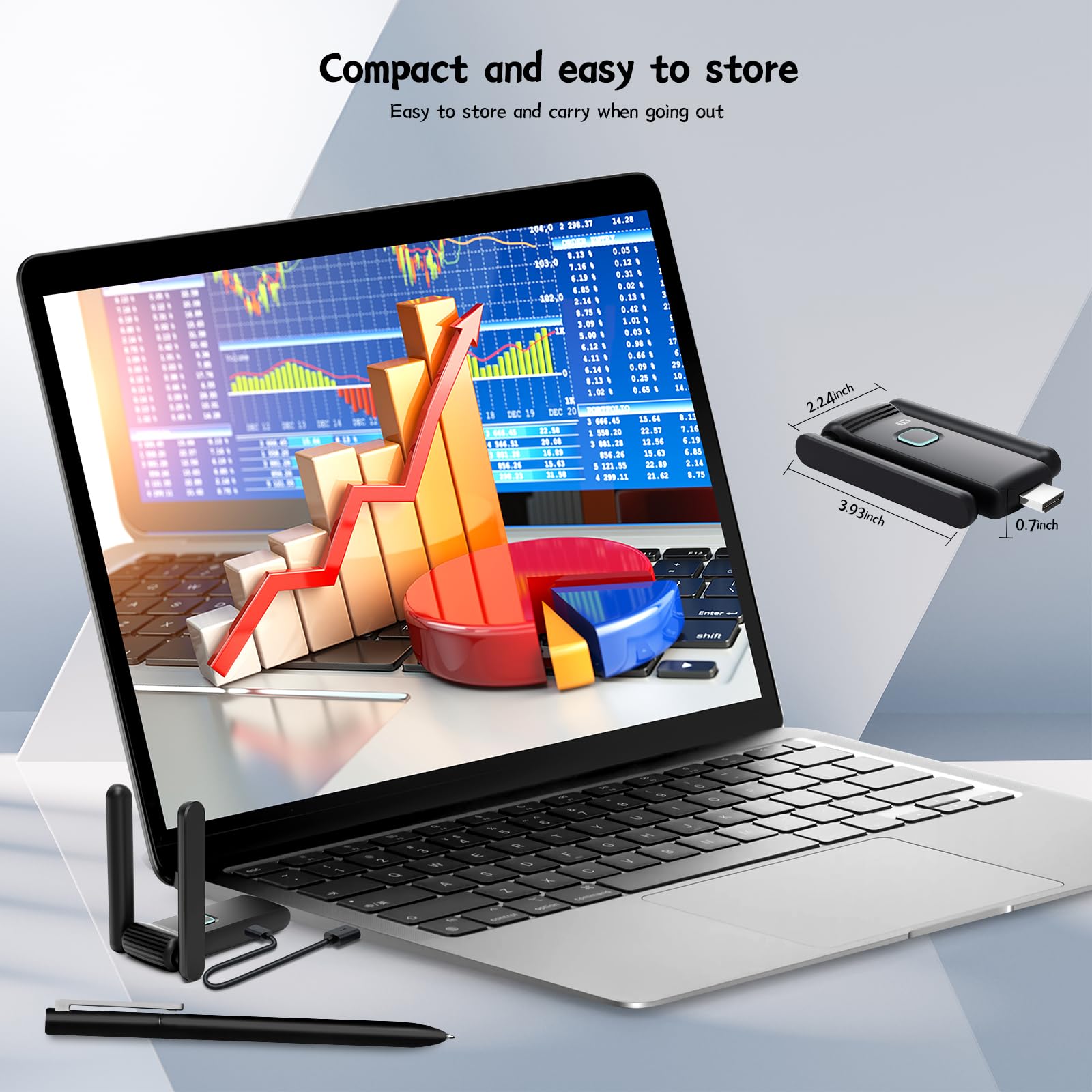
Dual frequency stability, dual antenna design : Wireless HDMI splitter leveraging advanced 5.8GHz/2.4GHz dual-band wireless transmission technology, it ensures stable signals with minimal latency, bidding farewell to buffering and interruptions, allowing for an unfettered audiovisual experience. Simply connect the HDMI transmitter to laptops, cameras, gaming consoles, and the HDMI receiver to TVs, projectors, or other display devices to embark on a new era of wireless transmission.
Efficient heat dissipation and comfortable use. New upgrade G58 Wireless HDMI one transmitter and two receivers, with its efficient heat dissipation design, intelligent temperature control technology, safe material selection, and strict quality control, has successfully achieved safety features.
TuTuPlay App : Your intelligent companion for the wireless HDMI adapter, compatible with both iOS and Android systems. With a single tap, easily turn your phone or tablet as a second screen. Detailed operation guides are available in the manual or on the receiver's screen. Download the app conveniently through app stores. Note: The current version does not support controlling laptops(TX) from phones or iPads.
Stable Power Supply, Exceptional Performance : We recommend using a 5V/1A charger to power the wireless HDMI transmitter and receiver , ensuring ample current and stable voltage output for optimal device performance. HDMI wireless receiver and transmitter can also be powered through the USB ports of laptops, monitors, or TVs.
Product Specifications
Product Information
Product description
YUYUNLOMN Wireless HDMI Two Receivers and One Transmitter - Dual Antenna
Full HD 1080P@60Hz Resolution - Higher Definition
5.8GHz wireless transmission with dual antennadesign improves the quality,anti-interference and reliability of wireless HDMI signals.
We've made a groundbreaking upgrade to this product based on our existing offerings, with significant improvements particularly in clarity. By utilizing a 5G chip, we've now achieved full-specification 1080P@60FPS output, delivering an unprecedented high-speed, stable, and efficient transmission experience for users. The 5.8GHz frequency band not only offers faster transmission speeds and stronger anti-interference capabilities but also provides more stable signals, effectively avoiding issues of signal loss and latency. This means users can seamlessly transmit HD video and audio signals, enjoying a smoother and more realistic home entertainment experience.
165FT/50M Transmission Distance, Home theater l transmitter to 2 receivers
Bring High-Definition Entertainment to Every Room
HDMI Wireless extender allows you to enjoy HD content on multiple TVs in your home without getting tangled up in wires. With a transmission range of up to 165 feet (50 meters), it ensures you can savor high-definition entertainment in every corner of your house. Whether you're watching a thrilling movie in the living room or catching up on your favorite TV show in the bedroom, the wireless HDMI extender provide a seamless, uninterrupted viewing experience. Note: Transmission distance may reduce to 50 feet/15 meters when passing through walls.
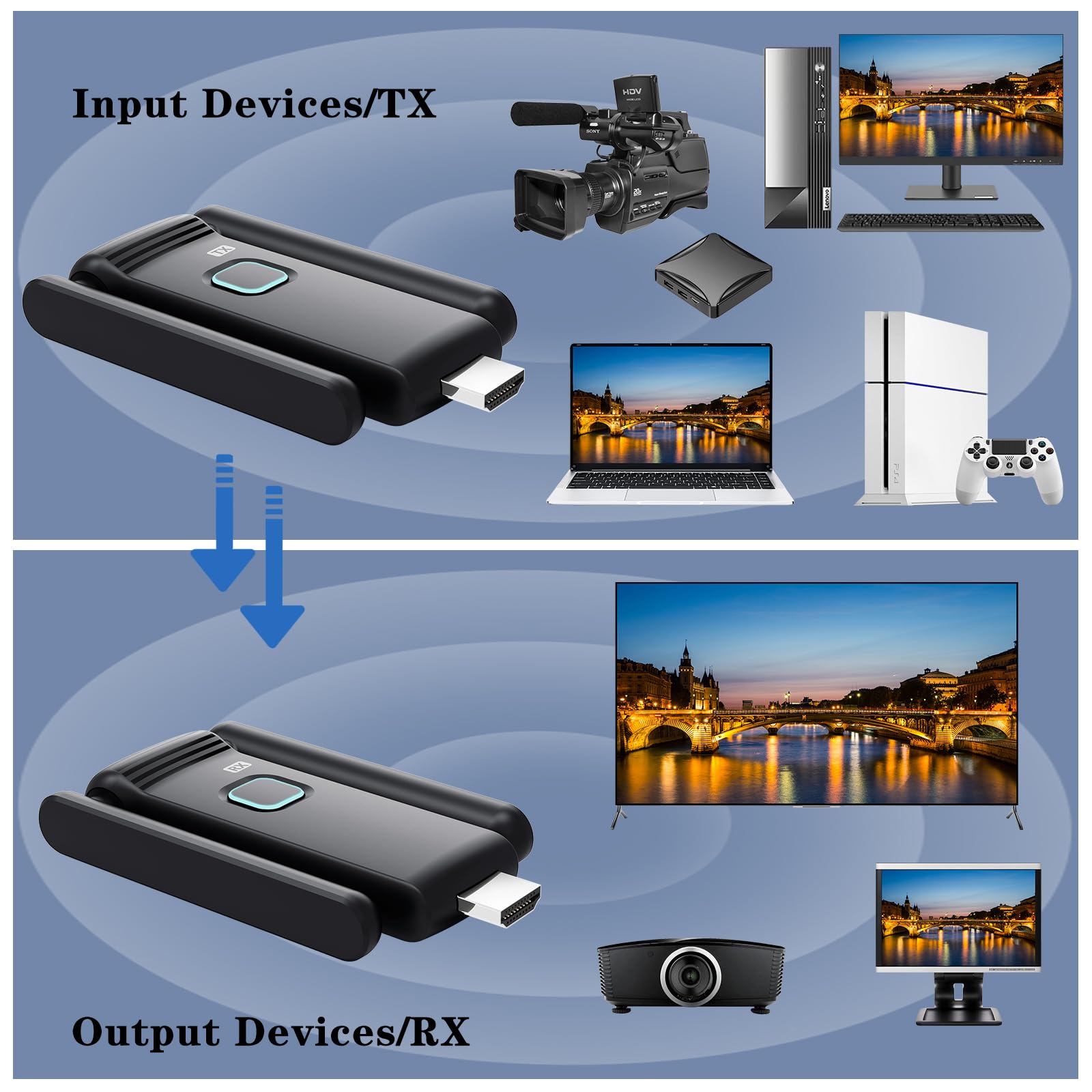
The transmitter is responsible for wirelessly sending HD video and audio signals from source devices (such as computers, gaming consoles, cameras, and Blu-ray players) to the receiver. The receiver, in turn, captures these signals and decodes them at 4K@60Hz or 1080p@60Hz before outputting them to the target device (like a TV or projector). This entire process eliminates the need for complicated cable connections, greatly simplifying the setup of home theater and business presentation systems. Note: The TX cannot be plugged into a TV or monitor for use.
Up to 6RXs(TVs), can add more RX as needed(RX ASIN: B0DPKSFXRV).New RX unit requires manual pairing
Wireless video transmission to 6 large screens or 6 mobile devices
Screen Delay as Low as 0.1 Seconds
Using our HDMI Wireless Splitter, you can enjoy a virtually lag-free viewing experience. With a screen delay of only 0.1 seconds, you'll feel the smoothness and continuity of the picture whether you're watching a movie, playing a game, or participating in a video conference.
Steps for Use:
Connect HDMI and USB-C to the Transmitter: Insert the HDMI port on the transmitter into the HDMI port of a laptop or other HDMI output device, and connect the USB-C cable to the USB-C interface of the transmitter. Then plug the USB-A port into a 5V/1A or 5V/2A charger to ensure sufficient current supply to the transmitter and avoid lagging or flickering caused by insufficient power supply, as the power supply of the USB-A port on the laptop or host cannot reach 5V/1A or 5V/2A.
Connect HDMI and USB-C to the Receiver: Insert the HDMI port of the receiver into the target HDMI input device, such as a TV or monitor, and connect another USB-C cable to the USB-C interface of the receiver. Then, plug the USB-A port into a 5V/1A or 5V/2A charger to ensure sufficient current is supplied to the receiver to avoid lagging or flickering caused by insufficient power supply, as the power supply of the USB-A port on the TV or monitor cannot reach 5V/1A or 5V/2A.
Note: HDMI wireless receiver and transmitter can also be powered through the USB ports of laptops, monitors, or TVs, but when the signal transmission is unstable, it needs to be replaced with a 5V/2A charger for charging.
Wait and Start Transmission: After completing the above steps, wait for 5 seconds for the transmitter and receiver to establish a wireless connection. Once connected, you can start enjoying high-quality video and audio transmission. During transmission, you can switch input sources between the transmitter and receiver to meet different usage needs.
Efficient heat dissipation, comfortable to use
The Wireless HDMI transmiteer and receiver features thermal dissipation structural design, equipped internally with high-efficiency cooling components. By optimizing the heat dissipation channels and increasing the heat dissipation area, the adapter can quickly expel internally generated heat, thereby maintaining a stable temperature state. This design not only enhances the adapter's cooling efficiency but also significantly extends its service life.
Furthermore, the HDMI Wireless kit incorporates intelligent temperature control technology, which can monitor the adapter's temperature status in real-time and automatically adjust the cooling power based on temperature changes. When the adapter's temperature rises, the intelligent temperature control system will immediately activate, enhancing the cooling effect to ensure that the adapter's temperature remains within a safe range. Even if the adapter generates a certain amount of heat after prolonged use, users need not worry about it becoming too hot to handle.
Universal Compatibility
Enjoy the convenience of both HDMI wireless and TYPE-C/USB-C wireless HDMI connectivity simultaneously
This HDMI wireless connector comes with a comprehensive set of 3 accessories: a USB-C to HDMI 4K adapter, a Micro HDMI adapter, and a Mini HDMI adapter. Enjoy the convenience of both HDMI wireless and USB-C wireless connectivity simultaneously. It seamlessly interfaces with a wide range of HDMI display devices available on the market. Effortlessly stream content from laptops, PCs, MacBooks, cameras, set-top boxes, cable boxes, Blu-ray/DVD players, gaming consoles, and more to HDTVs, projectors, monitors, smartphones, tablets, and iPads.
TuTuPlay App - Both iOS and Android
Easily turn your phone or tablet into a second screen
Download the app conveniently through app stores. Detailed operation guides are available in the manual or on the receiver's screen. Note: The current version does not support controlling laptops(TX) from phones or iPads.
Four easy steps to achieve seamless connection:
Connect the transmitter: Connect the TX (transmitter) to the HDMI port of your laptop or output device, and use a Type-C cable to power it. It is recommended to use a 5V/1A charger with a USB-A interface for power supply.HDMI wireless transmitter can also be powered through the USB ports of laptop.
Mobile Device Preparation: Download and install the TuTuPlay application on your iPhone, iPad, smartphone, or tablet to ensure compatibility with your device.
WiFi Connection: Open the WiFi settings on your mobile device, search for and select the "TuTuPlay- xxx" network, and enter the provided password "12345678" to connect.
Application Activation: Open the installed TuTuPlay application to begin wirelessly mirroring your laptop screen to your mobile device.
When the transmission signal is poor, you can open the channel option and switch to other channels with stable signal transmission.
Up to 6 display screens can be connected:
1. Matching 1TX with 1 TV+5 mobile phones or tablets
2. Matching 1TX with 5 TVs+1 mobile phone or tablet
3. Matching 1TX with 3 TVs+3 phones or tablets
4. Matching 1TX with 6 TVs
5. Matching 1TX with 6 phones or tablets
If the TuTuPlay App cannot be connected after downloading it on the iPad, please open the iPad settings, find the TuTuPlay App, and check if the (local network) is open. This option needs to be turned on to use the TuTuPlay App normally.