








Q:Can not find channels?
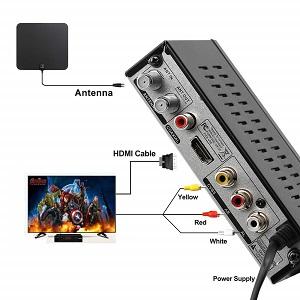
A:When using an external antenna, please ensure all cables are properly connected before proceeding with the following checks:
1.Confirm the signal type is set to “Air.”How to: MENU--Channel Search--Signal Type-- Air.
2.Please make sure the TV's signal source is set to the same port to which the device is connected. For detailed instructions, please refer to your TV’s user manual.
Q:Signal Reception Notice
A:This device does not have the ability to receive signals independently and must be used together with an external TV antenna.Please ensure the antenna is properly connected before use to receive over-the-air digital TV signals.
Q:Protective Film Reminder
A:To prevent scratches or marks during transportation, the device is covered with a transparent protective film before shipment.If the surface appears scratched or blurry, gently remove the film to reveal the original clean finish of the product.
Q:Check TV Compatibility Before Purchase
A:Before purchasing, please confirm whether your TV has a built-in digital signal tuner (ATSC Tuner).If you are using a newer digital television, refer to your TV’s user manual to check for “ATSC” or “Digital Tuner” support.If your TV already includes a built-in digital tuner, you do not need to purchase this converter box.
Q:Recording Function Notice
A:This device only supports recording over-the-air digital TV programs received from a coaxial antenna input.It does not support recording from external devices such as DVR, DVD players, or any other video sources.
Q:Recording and Storage Tips
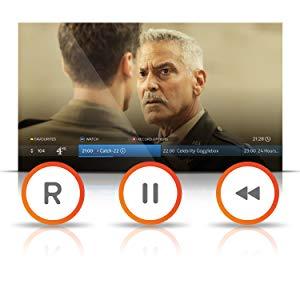
A:Supports both real-time and scheduled recording modes.During recording, you can only watch programs within the same channel group.
This unit has no built-in storage; please connect an external storage device.
Recommended storage options:Up to 4TB external hard drive (FAT32 format), or Up to 32GB USB flash drive.Please format your storage device to FAT32 before use to ensure stable recording and playback performance.